


Main Content
The Office of Community Partnerships is using Community Connect UW (CCUW) to manage community-engaged courses and Collaboratory for collecting and aggregating community engaged activities inclusive of community engagement classes, research, projects, etc.). Data related to CE classes managed through CCUW will be migrated to Collaboratory by OCP. Partnerships take many different forms, they can involve one or more staff members, faculty or students; they can be funded or not. What matters is the nature of engagement and its attention to building a partnership between the university and the community - local, regional, and beyond!
To learn more about either platform please book an appointment.
Community Connect UW (CCUW)
Community Connect UW is a database and management platform that allows UW faculty, staff, students and community partners to connect, organize, and understand impacts of collaboration. At UW Tacoma, we are piloting the "academic module", which is designed support faculty that teach community engaged courses. CCUW can be integrated with Canvas to manage the course.
The broader aims of Community Connect UW are to:
- Serve as a coordinated hub of activity for UW and community members to explore, connect, communicate, share opportunities and collaborate on projects, courses and other efforts related to civic and community engagement.
- Document, track, visualize, report and assess community-engaged learning, civic engagement, community-based scholarship, and other activities across the three campuses’ students, faculty, partners and units.
- Enable learning across the university as faculty, staff and students understand the larger ecosystem and collaborate more effectively and efficiently.
- Increase transparency and accountability and reduce the barriers for community partners to collaborate with UW.
Collaboratory
What is Collaboratory?
Collaboratory is a publicly visible and searchable database of community engagement and service activities involving UW Tacoma faculty, staff, students and their community partners. Collaboratory is a qualitative and quantitative tool that allows us to share the faculty, staff and student community engagement or partnership efforts. With this tool, part of UW Tacoma's story of engagement is better understood and highlights how we are accomplishing our institutional commitment to community engagement. UW Tacoma faculty and staff can help us expand this database and ensure their work is represented in Collaboratory.
If you would like to learn more or invite us to speak to your office/unit, you can email our staff at ocp@uw.edu.
Getting Started
UW Tacoma faculty and staff can either enter their own activities or use a proxy (someone who enters data on their behalf). You can preview the to get a preview of the Collaboratory Activity Form which outlines the information to be entered.
What activities can be reported?
Activities that are considered community engagement or public service can be entered into Collaboratory.
For an activity to be eligible for Collaboratory entry, you must be able to answer "yes" to both of the following questions:
- Does the activity directly relate to a public priority or issue?
- Does the activity involve one or more community groups, organizations, agencies or neighborhoods that are external to the University?
If the answer to either question is "no," your activity does not meet the criteria for Collaboratory. You may consider sharing your activity in other ways, such as through UWT Ledger, UWT Library , annual reports, departmental reports, promotion and tenure or permanency packets, and Dateline or B-Line.
When can activities be reported?
Activities may be entered at any time, and you have the ability to enter an activity and update it if it is ongoing or an annual/recurring activity. You may also choose to enter recurring activities individually for each instance, such as a community-engaged course, if it makes sense to do so.
Collaboratory Frequently Asked Questions
Common questions from faculty & staff who are entering data in Collaboratory.
Note: If you have outstanding questions, please do not hesitate to contact OCP staff at ocp@uwt.edu
Collaboratory is a relational database that allows UW Tacoma to tell it's engagement narrative.
Community Partnership data is collected by OCP to gain insight into the collective impact that UWT is having in our greater community, local, national and global.
Data is aggregated and used for reporting purposes. Aggregated data is made available through our website and annually through the OCP annual report. Partnership data is used at the institutional level to measure success on UWT's strategic initiatives.
For specific inquiries about data please contact ocp@uw.edu
Collaboratory requires a UW NetID. To log into the system go to https://he.cecollaboratory.com/uwt and click "Log In" in the upper right corner.
You will be taken to the UWNetID login page.
The Office of Community Partnerships is collecting data for any activities that involve a UWT personnel (faculty, staff, students) and an external community partner. The activities should be mutually beneficial to both UWT and the community partner.
Partnerships take many shapes and forms and we welcome traditional and non-traditional partnerships. Please feel free to contact ocp@uw.edu if you have further questions.
Some general data about your activity, partners, and overview are made publicly available.
Note that there are some fields that are optionally visible. The icon with an eye indicates that a field can be public or private. Private fields are only available to Collaboratory administrators and are used in aggregate for reporting purposes only.
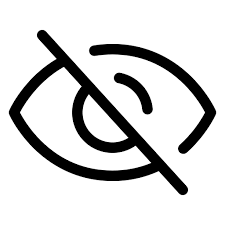
If you desire your the entirety of your data to be private please contact ocp@uw.edu. Administrators are able to hide your partnership data from public view, we will walk you through the process.
Yes! Collaboratory allows you to save progress on entering your data. When you return to Collaboratory you will be able to edit any existing activities you have entered in the database. You are also able to update activities that are already published.
OCP is happy to work with UWT administrators to generate reports and details about partnership activities specific to an academic unit. We encourage use of this data to promote further introspective analysis of your team.
Please contact ocp@uw.edu to get started generating specific reports.
Questions about entering data:
Common questions about entering data into Collaboratory.
What is your elevator speech? Write a brief paragraph that distinguishes your activity from others at UWT and helps the viewer understand the basic purposes and intentions.
You should include information about the actual activity completed, who was primarily involved (faculty, staff, students), and why the activity was needed. Do not worry so much about including the names of community partners or other collaborators connected to the activity. Collaborators are added in another section.
Often, information that is not entered elsewhere in the system can be added to the description to provide a viewer with more nuanced details about your activity.
When you click on "Add Community Organization" a window appears where you can search for community organizations already in the system. You can use the search feature to find your community organization. Please be sure to check your spelling when searching, as this can often be the reason you cannot find an organization.
If your organization is not listed, you can create the organization in the system. Just click on the text in the upper right corner that says "Don't see it? Add New". This will take you to a new window to provide contact information, location, description, and categorization of the organization. Please complete as thoroughly as possible, especially the description field. A best practice is to pull the organization mission statement from their website and include it in the description field.
Some things to keep in mind are to include generic emails and phone numbers instead of personal contacts, if possible.
For the "Type" field you have a choice of For-profit, Non-profit, Education: K-12, Education: Higher Education, Government, Religious, and Informal.
Lastly, once submitted and approved the email provided will receive a notification that they have been identified as a part of your activity record.
If your activity is ongoing, simply leave the end date field blank.