


Main Content
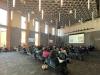
We are excited for your participation in the Global Engagement Conference on Wednesday, May 20th, 2026 at William W. Philip Hall, UW Tacoma. Below please find important details to help you prepare for the Conference.
Important Information: Deadlines, Requirements, What to Expect
- All presentations must be submitted by 9:00 PM on Sunday, May 17th.
- Information for PRESENTERS
- Information for POSTER PRESENTERS
- UW Tacoma Campus Map and Directions
- UW Tacoma Parking Information

Presenter Information
Information for Presenters
Presentation Timing
- Individual presentations: 10 minutes
Presentation Format Requirements
- We recommend that your Slide Decks be no more than 10 slides (15 slides at the maximum) Please review the Presentation Accessibility Tips for more information.
- All presentation slides must be submitted as a PDF file to the IIGE by 9:00 PM on Sunday, May 17. Please email your PDF to iige@uw.edu.
- Google Drive links are acceptable only if downloadable access is granted to iige@uw.edu and the URL is sent to us by 9:00 PM on Sunday, May 17.
PLEASE NOTE: Presenters should ensure that slides do not contain violent, graphic, or otherwise disturbing images. When sensitive topics are necessary, use non-graphic or text-based representations and give attendees a brief content notice beforehand to maintain a respectful and safe environment for all.
Important: Students who do not submit their slides by the deadline will not be permitted to present.
To help ensure your presentation is accessible to all audiences, consider the following recommended best practices:
- Use large (24‑point or larger), sans‑serif fonts on plain backgrounds.
- Keep designs simple and use high‑contrast colors.
- Replace long paragraphs with bulleted lists or short statements.
- Left‑align all text.
- Add captions to all images, figures, and charts.
- Spell out acronyms and define any jargon or idioms.
- Use your presentation software’s built‑in accessibility checker.
These guidelines are adapted from the Presenter Resources page of the University of Washington Undergraduate Research Symposium. Additional resources can be found here: https://www.washington.edu/urs/presenters/presenter-resources/
For students who wish to practice their presentations, we will be holding rehearsals on the below dates/times.
- Wed. May 6th, 10am-11am, or 1-2pm
- Fri. May 8th, 11am-1pm
Click on the following link to sign up for a 15 minute rehearsal time slot: https://calendly.com/iige-7xh/gec-rehearsal
- The Conference will be held in the William W. Philip Hall on the UW Tacoma campus
- You will be presenting as part of a panel. We will have a section marked off in general seating for panelists. We ask that you sit in this section 15 minutes before your panel starts. When your panel is scheduled to start, you and your fellow panelists will be called to sit on the stage at the panelists table.
- Each panelist will be introduced - name, presentation title, faculty adviser, and institution. Your presentation slides will be ready and cued for you.
- We will have a person designated a Timer in the room, who will hold up cards indicating when you are two and one minute from the end of your allotted time (as well as over time). IT IS IMPORTANT TO PRACTICE YOUR PRESENTATION AHEAD OF THE CONFERENCE TO ENSURE YOU STAY WITHIN YOUR ALLOTTED TIME, AND TO KNOW WHEN YOU SEE A CARD IF YOU ARE ON TIME OR NEED TO SPEED UP. We recommend you print out the script of your presentation in a large font so that you have it as a reference at the podium.
- When your presentation is complete, you will return to the panelist table to sit.
- When all presentations are complete, the moderator will introduce two Respondents who will have fifteen minutes to ask questions of the panelists about their presentations/themes from your collective presentations. Panelists will share handheld mics to answer these questions.
- After the Respondent session has concluded, the moderator will excuse the panelists and you may return to the general seating area.
Recommended Attire:
- Professional yet comfortable clothing is encouraged. (No screen t-shirts, please)
Lunch is provided for all conference participants. Although you are a Conference Participant, we request that you also register for the Conference no later than May 10th to ensure our catering numbers are accurate.
Poster Presenter Information
Information for Poster Presenters
- UW Tacoma Students:
- To help us pre-set the Conference, we ask that UW Tacoma students drop off their posters at the Global Innovation & Design Lab Front Desk (outside MLG 203) no later than Noon on Tuesday, May 19th. If you are unable to make this deadline, please bring your poster to the Conference and be sure to arrive no later than 11:45am so staff can mount your poster for the Poster Session.
- Non-UW Tacoma Students:
- Non-UW Tacoma students will bring their posters to the Conference. Please be sure to arrive no later than 11:45am on the day of the Conference so staff can mount your poster for the Poster Session.
Posters should be 36 inches x 24 inches (w x h) for a horizonal layout, or 24 inches x 36 inches (w x h) for a vertical layout. This size matches thebackboard that you will be provided to hang your poster. Please let us know if your poster is a different size. We do not have backboards for alternative sizing and thus posters that do not meet the standard 36x24 dimension may not be easily accommodated.
The event will privide clips to hang your poster to the backboards provided.
Below you will find a suggested Poster Template for your use and/or to serve as inspiration. Tips on how to design your poster are also provided below.
UW TACOMA STUDENTS: FREE POSTER PRINTING AT MAKERSPACE
The UW Tacoma Library's MakerSpace has a poster printer that students can use to print their poster for FREE. However, please note that:
-
You are REQUIRED to make a reservation to use the Poster Printer. (30 minutes is typically required to get a successful print)
-
Reservations fill up fast towards the end of Spring Quarter so you should reserve the printer as soon as you are able. (We have had students in the past who ended up having to pay to print their posters because they were unable to reserve the poster printer in the days leading up to the Conference. Reservations for the Maker Space can be made here: https://cal.lib.uw.edu/space/225114
-
Please note you must complete the MakerSpace Poster Printer safety quiz before arriving to print your poster. You can find the Safety Quiz here: https://dubnet.tacoma.uw.edu/makerspace/survey?survey_uid=06c25b79-3fd5-11ef-aa08-0edf44977fa9
For more information about the MakerSpace and printing posters here: https://www.tacoma.uw.edu/library/library-makerspace
- Your poster should be constructed so that it presents the desired information in a self-explanatory manner.
- Keep your poster simple and brief. A poster is not a place for you to tack up your entire body of research for people to read. Instead, think of a poster as a series of highly efficient, organized “panels” (a storyboard) upon which appear synopses of the relevant information you want to convey - just enough to get your point across.
- Organize your poster using headings, such as “Introduction,” “The Research Question,” “The Methodology,” and “Findings.” These headings will help establish a logical flow to your poster. Note: The template provided already includes headers that may help you in structuring your poster.
- Consider using Sans Serif fonts as they are more accessible and easier to read
- Use large enough fonts so people will not have to squint to read the material. For headings, use at least a 48-point font. For text, use nothing less than 18-point.
- Make your poster visually appealing. Have fun. Be creative. Incorporate color. Use photographs, graphs, charts, maps, and the like. Simplify charts and figures to include only relevant information. Be attentive to the layout and placement of your materials.
Display: We will provide a display tripod and 24” x 36” backboard/clips for mounting for your poster at the Conference.
Poster Session: The poster session is scheduled during the lunch hour, 12:30-1:30pm. On the day of the Conference, we ask you to:
- Arrive at the Conference at least 30 minutes before your poster session is scheduled to begin. (Poster Presenters will be able to have lunch ahead of their session.)
- If bringing your poster to the Conference, please be sure to let staff know as they will take your poster to mount it prior to your session.
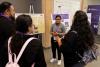
- Stand by your poster during the session to interact and address questions from interested visitors.
Recommended Attire:
- Professional yet comfortable clothing is encouraged. (No screen t-shirts, please)
Lunch is provided for all conference participants. Although you are a Conference Participant, we request that you also register for the Conference no later than May 10th to ensure our catering numbers are accurate.